The Professional Brand Identity Deliverables Checklist
When wrapping up a brand identity project, packaging the final files for delivery is often the most tedious phase. Leaving out a key file format or providing poorly named assets can lead to client confusion, print production issues, and unnecessary back-and-forth emails.
Use this professional handbook checklist to ensure you package a complete, robust visual system that stands up to agency standards.
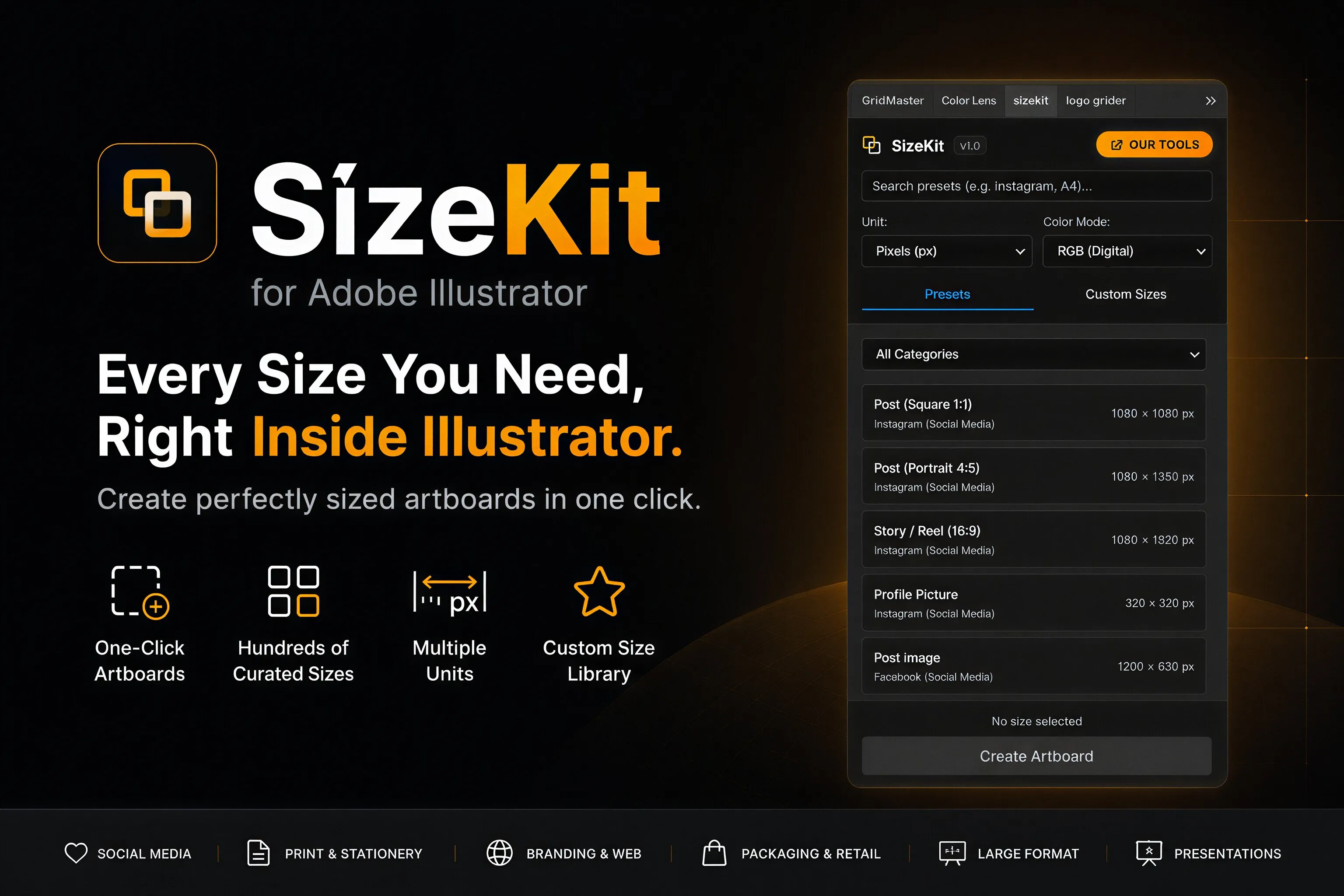
[!TIP] Workflow Tip: Setting up dozen of artboards for packaging (social headers, print collateral, standard business cards) is time-consuming. Use the SizeKit Adobe Illustrator panel extension to instantly generate preset artboard sizes with built-in margins and print bleed settings.
1. Logo System Files Checklist
A complete logo system must cover various layouts and color spaces to render clearly across digital applications and physical materials.
- Primary Lockup Packaging:
- Vector formats: Deliver in clean, outline SVG (for web), EPS (for legacy print), and editable PDF.
- Raster formats: High-resolution transparent background PNG and solid background JPEG. Save both in RGB (at least $300\text{ppi}$) and CMYK formats.
- Output folders: Separate into
/vector/and/raster/directory trees.
- Secondary Lockups:
- Stacked/vertical versions of the logo for centered layouts.
- Horizontal/wordmark-only configurations for thin digital banners and navigation headers.
- Sub-marks & Monograms:
- A simplified monogram or glyph mark optimized for small-scale icons, email signatures, and favicon use.
- Color Modes & Variations:
- Full Color: Primary brand palette configuration.
- Monochrome: Pure black (
#000000) and pure white (#FFFFFF) paths. - Pantone Spot Color: Approximated solid ink codes (PMS) documented in the vector path metadata.
2. Typography System Packaging
Ensure the client has everything necessary to install, load, and license the brand’s fonts.
- Desktop Font Files:
- Deliver OpenType (.otf) formats for desktop applications (avoid TrueType .ttf if possible due to rendering inconsistencies).
- Web Fonts Collection:
- Package Web Open Font Format (.woff and .woff2) files. Include custom
@font-faceCSS sheets referencing these files.
- Package Web Open Font Format (.woff and .woff2) files. Include custom
- System Fallbacks:
- Explicitly identify fallback fonts pre-installed on macOS/Windows (e.g. Arial or Georgia) to use inside standard emails and default text fields.
- Licensing Documentation:
- Text files containing purchase links or license codes for commercial desktop and web use.
3. Brand Identity Color Specifications
Never deliver colors as simple name labels. You must document the exact color specifications across all production channels.
- Digital Screen Values:
- Document the exact HEX codes (e.g.
#0A0A0F) and RGB values (e.g.10, 10, 15) for web and mobile layouts.
- Document the exact HEX codes (e.g.
- Standard Print Value:
- Document four-color process CMYK percentages for offset printing.
- Solid Ink Spot Values:
- Select Pantone Matching System (PMS Coated/Uncoated) colors to ensure solid ink color matching.
4. Corporate Collateral & Sizing Assets
Ensure stationery and digital marketing assets match standard dimensions.
- Business Card Deliverables:
- US standard ($3.5 \times 2\text{ in}$) and European standard ($85 \times 55\text{ mm}$) layouts.
- Include $3\text{mm}$ (or $0.125\text{ in}$) bleed zones.
- Letterhead Assets:
- Standard US Letter ($8.5 \times 11\text{ in}$) and A4 sizes ($210 \times 297\text{ mm}$).
- Social Media Graphics:
- Instagram post ($1080 \times 1080\text{px}$) and story ($1080 \times 1920\text{px}$) frames.
- LinkedIn banner ($1584 \times 396\text{px}$) and profile avatar assets.
5. Brand Book & Style Guidelines
The brand book binds the entire system together, instructing the client’s internal team on how to maintain visual consistency.
- The Master PDF Handoff:
- A high-resolution, print-ready PDF containing letterheads, logo grids, typography hierarchies, and color specs.
- A compressed, low-resolution interactive digital PDF with internal link navigation.
- Vector Source Documentation:
- Deliver the original
.aior.inddlayout template files with all links and fonts packaged.
- Deliver the original
Conclusion & Resources
Completing this checklist ensures you maintain a professional designer reputation and prevent client support emails months down the line.
To streamline this packaging process and output a professional brand book, check out our Ultimate Brand Guidelines Template. It contains a ready-to-customize 36-page layout for Illustrator and InDesign, built to house all final deliverables.
Table of Contents
Recommended Tools
Logo Grider
Build logo grids, clearspace rules, lockups, and minimum size systems in seconds. Logo Grider is a clean, easy-to-use Illustrator panel designed for professional brand designers.
ColorLens
Stop jumping between websites and manual workflows. ColorLens brings palette generation, WCAG contrast checks, image color extraction, and color specification sheet export directly into Adobe Illustrator.
GridMaster
Create precise, professional layouts in seconds. GridMaster is a powerful Adobe Illustrator panel designed to generate column, modular, baseline, and composition grids.
Identity Assets
Bold Brand Guidelines Template
A high-performance landscape layout template built for InDesign, Figma, and Illustrator. Reclaim your design time and deliver agency-level style guides to clients.
Free Brand Guidelines Template
A professional and clean brand guidelines template fully editable in Adobe Illustrator and InDesign. Perfect for freelancers, agencies, and business owners looking to organize brand rules.
Ultimate Brand Guidelines Template
The ultimate 36-page professional brand guidelines template built for Adobe Illustrator, InDesign, and Figma. Streamline your workflow and deliver agency-level brand books.
Get New Branding Resources Every Week
Join over 10,000 identity designers who receive our latest curated tutorials, grid templates, checklists, and Illustrator workflow optimizations straight to their inbox.
Zero spam. Unsubscribe with a single click at any time.
Related Educational Guides
How to Calculate Logo Clear Space: Spacing Ratios and Visual Safety Zones
An in-depth technical guide to calculating logo clear space using relative x-height formulas, measuring bounds, and building safety zone templates in Adobe Illustrator.
The Logo Grid Blueprint: How to Construct Geometric Logos in Adobe Illustrator
A comprehensive, step-by-step guide to constructing geometric logo grids using concentric circles, polar coordinates, and snapping systems inside Adobe Illustrator.